React Native with Expo · TypeScript · iOS & Android
From first committo live on the stores Online course with TypeScript, from Code with Beto.
Build real apps and ship them to the App Store and Google Play.
Learn the foundations so you own the codebase, and use AI where it saves real time.
Rated 5 out of 5 stars
“The best investment I've ever made as a developer.”
Matteo Giuditta · LinkedIn
What you'll learn
- Ship on a modern stack: Expo, TypeScript, and the new React Native architecture.
- Polish UI from design to device: layout, components, and dark mode.
- Ship flows that feel native: motion, gestures, Expo Router, auth, and deep links.
- Add push, backend, and quality: OneSignal, Supabase, Jest, and Maestro.
- Release and iterate like a product team: EAS Build, Submit, OTA updates, and both stores.
- Monetize and extend when you need to: Stripe, RevenueCat, and Expo Modules.
Course content
React Native for Beginners
NewA free crash course covering the fundamentals of React Native and Expo. Build your first app from scratch, fetch data from an API, and learn navigation basics.
- What is React Native?6:00 minutesFree
- How React Native Works4:00 minutesFree
- Why Expo and Expo Go3:00 minutesFree
- Setting Up Your Environment5:00 minutesFree
- Creating Your First App6:00 minutesFree
- Project Structure2:00 minutesFree
- Fetching Data from an API7:00 minutesFree
- Rendering Lists and TypeScript4:00 minutesFree
- Working with Images6:00 minutesFree
- Styling Your App12:00 minutesFree
- Navigation Basics15:00 minutesFree
- Recap and Next Steps1:00 minutesFree
Introduction
Get started with React Native and Expo. Learn about the development environment setup and understand the new React Native architecture.
- How to take this course2:00 minutesFree
- Why ExpoLocked. Enroll in the course to watch this lesson.4:00 minutes
- Android Environment SetupLocked. Enroll in the course to watch this lesson.4:00 minutes
- iOS Environment SetupLocked. Enroll in the course to watch this lesson.2:00 minutes
- RN New ArchitectureLocked. Enroll in the course to watch this lesson.4:00 minutes
- Expo Go vs Development BuildsLocked. Enroll in the course to watch this lesson.9:00 minutes
Components and APIs
Master React Native components from basic to advanced. Learn how to create reusable custom components and implement complex UI patterns.
- Basic ComponentsLocked. Enroll in the course to watch this lesson.13:00 minutes
- Custom ComponentsLocked. Enroll in the course to watch this lesson.6:00 minutes
- Advanced Custom ComponentsLocked. Enroll in the course to watch this lesson.21:00 minutes
Style and Design
Learn how to create beautiful and responsive UIs using Figma designs, implement proper styling patterns, and handle dark mode effectively.
- Designing with FigmaLocked. Enroll in the course to watch this lesson.19:00 minutes
- Style & StyleSheetLocked. Enroll in the course to watch this lesson.24:00 minutes
- Design System TipsLocked. Enroll in the course to watch this lesson.9:00 minutes
- Layout with FlexboxLocked. Enroll in the course to watch this lesson.19:00 minutes
- Dark ModeLocked. Enroll in the course to watch this lesson.9:00 minutes
Expo Router
Master file-based routing with Expo Router. Learn how to implement authentication flows, and deep linking.
- File Base RoutingLocked. Enroll in the course to watch this lesson.24:00 minutes
- Dynamic Routes7:00 minutesFree
- Stack & TabsLocked. Enroll in the course to watch this lesson.11:00 minutes
- Router HooksLocked. Enroll in the course to watch this lesson.19:00 minutes
- Authentication FlowLocked. Enroll in the course to watch this lesson.24:00 minutes
- Role Based AccessLocked. Enroll in the course to watch this lesson.6:00 minutes
- Deep LinkingLocked. Enroll in the course to watch this lesson.14:00 minutes
- Liquid Glass Bottom TabsLocked. Enroll in the course to watch this lesson.10:00 minutes
Animations & Gestures
Create fluid animations and implement complex gesture interactions in your React Native applications.
- Animations and GesturesLocked. Enroll in the course to watch this lesson.42:00 minutes
- Composition & InteractionsLocked. Enroll in the course to watch this lesson.6:00 minutes
- Swipeable ComponentsLocked. Enroll in the course to watch this lesson.14:00 minutes
Expo UI
NewBuild truly native interfaces with Expo UI. Learn universal components, SwiftUI and Jetpack Compose, modifiers, and how to architect maintainable native-first apps.
- What is Expo UI?Locked. Enroll in the course to watch this lesson.5:00 minutes
- SwiftUI and Compose: the mental modelLocked. Enroll in the course to watch this lesson.15:00 minutes
- Expo UI on iOSLocked. Enroll in the course to watch this lesson.18:00 minutes
- Expo UI on AndroidLocked. Enroll in the course to watch this lesson.16:00 minutes
- Native state and workletsLocked. Enroll in the course to watch this lesson.14:00 minutes
- Universal componentsLocked. Enroll in the course to watch this lesson.17:00 minutes
- Custom SwiftUI views and modifiersLocked. Enroll in the course to watch this lesson.19:00 minutes
- Custom Compose views and modifiersLocked. Enroll in the course to watch this lesson.13:00 minutes
- Architecting a maintainable screenLocked. Enroll in the course to watch this lesson.20:00 minutes
Testing
Learn how to implement comprehensive testing strategies using Jest, React Native Testing Library and Maestro for end-to-end testing.
- Unit Test with JestLocked. Enroll in the course to watch this lesson.33:00 minutes
- E2E with MaestroLocked. Enroll in the course to watch this lesson.37:00 minutes
Push Notifications
Implement push notifications using both Expo Notifications and OneSignal, understanding the advantages and trade-offs of each approach.
- Expo NotificationsLocked. Enroll in the course to watch this lesson.51:00 minutes
- OneSignal IntegrationLocked. Enroll in the course to watch this lesson.42:00 minutes
- Rich Notifications iOS7:00 minutesFree
Backend Basics
Learn essential backend concepts and how to handle server-side operations in your React Native app.
- Environment VariablesLocked. Enroll in the course to watch this lesson.17:00 minutes
- Expo Router API RoutesLocked. Enroll in the course to watch this lesson.17:00 minutes
- Streaming Data with Expo FetchLocked. Enroll in the course to watch this lesson.11:00 minutes
- Deploying with EAS HostingLocked. Enroll in the course to watch this lesson.10:00 minutes
Supabase
Learn how to integrate Supabase as your backend service, including database operations.
- Supabase UI TourLocked. Enroll in the course to watch this lesson.8:00 minutes
- Creating TablesLocked. Enroll in the course to watch this lesson.7:00 minutes
- Installation and CRUD OperationsLocked. Enroll in the course to watch this lesson.10:00 minutes
EAS Build
Learn how to use EAS Build
- Development BuildsLocked. Enroll in the course to watch this lesson.22:00 minutes
- Preview BuildsLocked. Enroll in the course to watch this lesson.9:00 minutes
- Production BuildsLocked. Enroll in the course to watch this lesson.2:00 minutes
- Automating App Version CodeLocked. Enroll in the course to watch this lesson.5:00 minutes
EAS Submit
Learn how to automate app submission to the App Store and Play Store.
- Submit to App StoreLocked. Enroll in the course to watch this lesson.8:00 minutes
- Submit to Google PlayLocked. Enroll in the course to watch this lesson.13:00 minutes
EAS Update
Learn how to configure and deploy over-the-air updates using EAS Update.
- Configuring EAS UpdateLocked. Enroll in the course to watch this lesson.8:00 minutes
- Deploying UpdatesLocked. Enroll in the course to watch this lesson.20:00 minutes
- Reverting UpdatesLocked. Enroll in the course to watch this lesson.7:00 minutes
EAS Workflows
Learn how to set up CI/CD pipelines using EAS Workflows.
- Getting Started with WorkflowsLocked. Enroll in the course to watch this lesson.11:00 minutes
- E2E with Maestro WorkflowLocked. Enroll in the course to watch this lesson.20:00 minutes
- Build and Submit WorkflowLocked. Enroll in the course to watch this lesson.8:00 minutes
Publishing
NewLearn how to prepare and submit your app to the App Store and Play Store.
- Publishing with XcodeLocked. Enroll in the course to watch this lesson.21:00 minutes
- App Store SubmissionLocked. Enroll in the course to watch this lesson.40:00 minutes
- Publishing with Android StudioLocked. Enroll in the course to watch this lesson.23:00 minutes
- Play Store SubmissionLocked. Enroll in the course to watch this lesson.35:00 minutes
Payments
Learn how to implement different payment solutions including in-app purchases with RevenueCat and payment processing with Stripe.
- Payment BasicsLocked. Enroll in the course to watch this lesson.15:00 minutes
- In-app PurchasesLocked. Enroll in the course to watch this lesson.54:00 minutes
Native Modules
NewLearn how to extend React Native with custom native modules using Expo Modules API. Build platform-specific functionality and create native views.
- Introduction to Native ModulesLocked. Enroll in the course to watch this lesson.10:00 minutes
- Create a Native ModuleLocked. Enroll in the course to watch this lesson.20:00 minutes
- Create a Native ViewLocked. Enroll in the course to watch this lesson.20:00 minutes
- Native Modules Next StepsLocked. Enroll in the course to watch this lesson.10:00 minutes
Bonus
NewEnhance your app with advanced features like home screen widgets and other platform-specific integrations to create a more engaging user experience.
- Apple WidgetsLocked. Enroll in the course to watch this lesson.40:00 minutes
- How to Upgrade Expo SDKLocked. Enroll in the course to watch this lesson.13:00 minutes
- Meta Ads & Facebook SDKLocked. Enroll in the course to watch this lesson.12:00 minutes
Free lesson preview
Watch a full lesson on the house: the same teaching style and depth you get in the full React Native course.
Meet your instructor
Former Expo engineer, full-time instructor. I teach the same workflows I use to ship real apps.
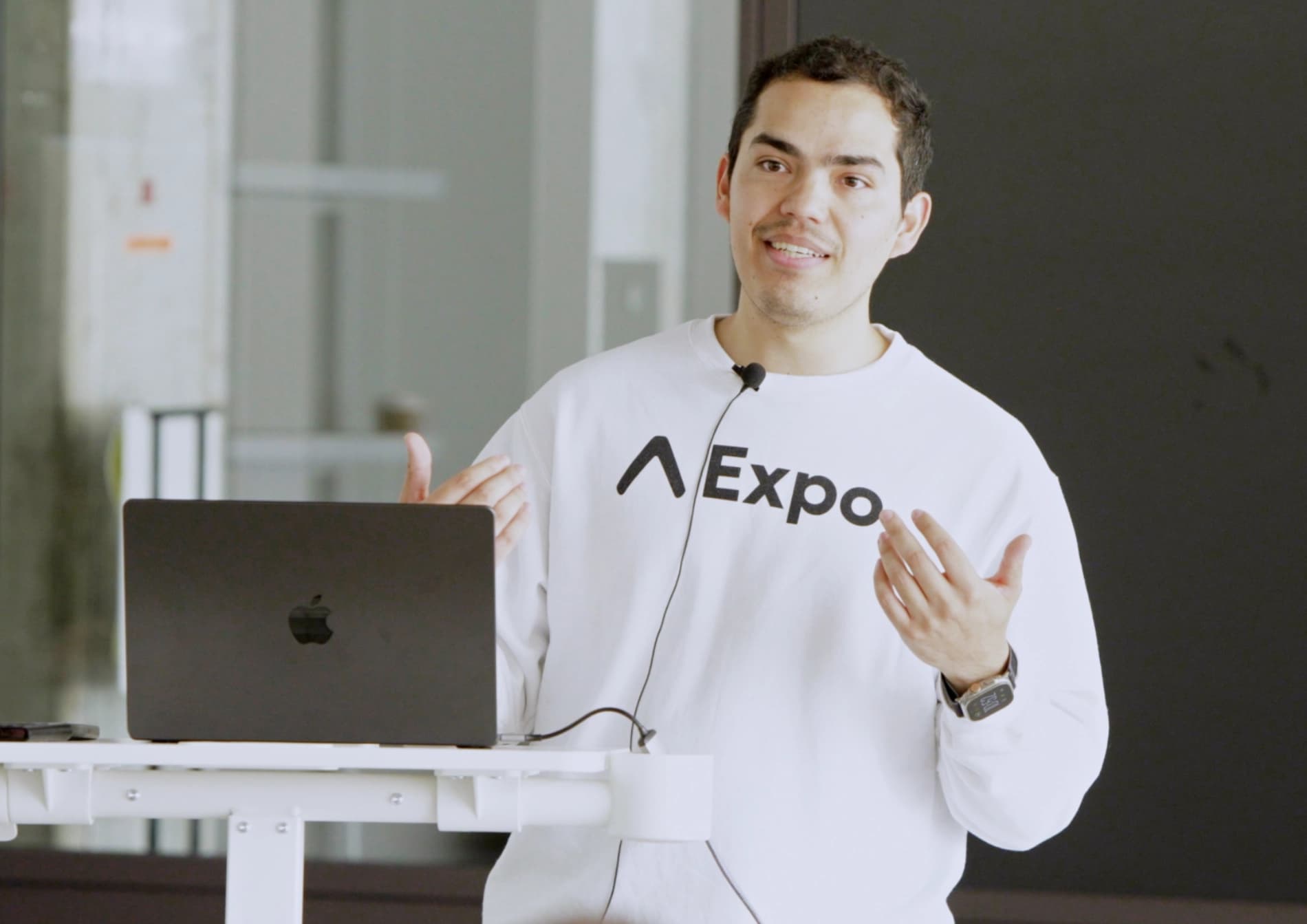
Hey! I'm Beto Moedano, former Developer Success Engineer at Expo and founder of Code with Beto. I build and ship apps, then teach what I learn along the way.
I created this platform because I know what it's like to piece together mobile development from scattered docs and outdated tutorials. Every codebase here comes from a project I've actually shipped, not theory.
So far, more than 30,000 people, from seasoned developers to first-time builders using AI tools, have learned through my courses, tutorials, and templates.
What our learners say
Real feedback from developers who used this course to grow their skills with React Native and Expo.
“The best investment I've ever made as a developer. Alberto doesn't just teach the framework: he walks you through every detail with clarity and care. He continuously updates the course and is always available on Discord. That kind of support is rare.”
Full-Stack Developer
View original post“A year and a half ago I got my first role as a React Native developer. I want to thank you from the bottom of my heart because your tutorials have been a wonderful asset in my learning journey.”
Kevin JC, opens in a new tab
“If you're just starting with React Native or you're looking to advance your skill, try to get this course. You will be grateful for making such investment.”
Yusuf Iysah, opens in a new tab
Code with Beto MCP
Connect once in Cursor, Claude, VS Code, or Windsurf. Ask in plain language, and we give your assistant the real lessons, blog posts, and Pro template code.
Open the real course lesson
Ask for Expo Router, haptics, or payments. Your assistant lists and opens the actual React Native, React, or Git lesson instead of guessing from old training data.
Search Code with Beto from chat
Need a form sheet, a blog post, or a video? Search the site inside Cursor or Claude and get the answer back in the same thread. No extra tabs.
Copy from Platano and Inkigo
Point at a screen you like. The MCP can pull real source files from the Pro templates so you start from shipped code, not generic AI UI.
Lifetime access to Code with Beto
Basic and Pro include all current and future courses, including Build & Ship with AI for existing lifetime members. Pro adds premium projects and resources. Pay once, learn at your pace.
Basic Lifetime Access
$499
One-time payment for all current and future courses, including Build & Ship with AI.
- Lifetime access - one-time payment
- All current and future courses, including Build & Ship with AI
- Lifetime updates to included courses
Pro Lifetime Access
$699
One-time payment for unlimited lifetime access to our entire library of current and future premium content.
- Lifetime access - one-time payment
- All current and future courses, including Build & Ship with AI
- Lifetime updates to included courses
- Platano: Expo template for AI image apps
- Full access to the Code with Beto GitHub organization
- MCP for Claude, Codex, Cursor: Best practices, clean architecture patters, lessons, blogs and more
- Access to real-world examples and codebases
- Exclusive access to personal projects and experiments
- Priority support via a private Discord channel
- Access to all current and future Figma design files
7-day money-back guarantee on eligible Basic or Pro solo purchases at the full list price only. Not available if any coupon, promo code, PPP, student offer, team pricing, or other discount was applied. Full policy. Eligibility details are also in the FAQs.

Frequently asked questions
Prerequisites, Expo vs CLI, language, updates, refunds, and what is included with your purchase.
Still have questions? Contact us